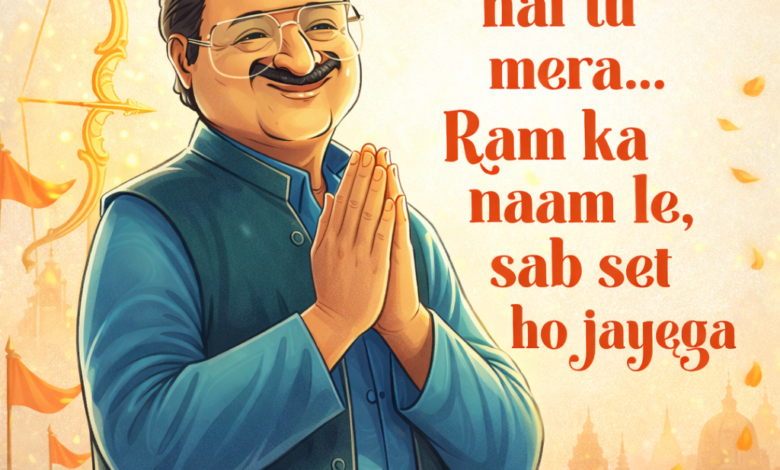
आजकल जो आपने ये Ram Navami वाली image देखी है — वैसी images बनाना अब बहुत आसान हो गया है। आपको बस सही तरीका पता होना चाहिए।
मैं आपको पूरा process बिल्कुल आसान भाषा में बता रहा हूँ 👇
Table of Contents
📲 Step 1: सबसे पहले ChatGPT App Install करो
अगर आपके फोन में ChatGPT नहीं है तो:
👉 Android में:
- Play Store खोलो
- “ChatGPT” search करो
- OpenAI वाला official app install करो
👉 iPhone में:
- App Store में जाओ
- “ChatGPT” search करो
- Install कर लो
👉 Install करने के बाद:
- अपना account login करो (Google से भी कर सकते हो)
🧠 Step 2: Prompt क्या होता है?
Prompt मतलब — आप AI को क्या बनाना है, कैसे बनाना है, ये detail में बताते हो।
👉 जितना अच्छा prompt, उतनी अच्छी image।
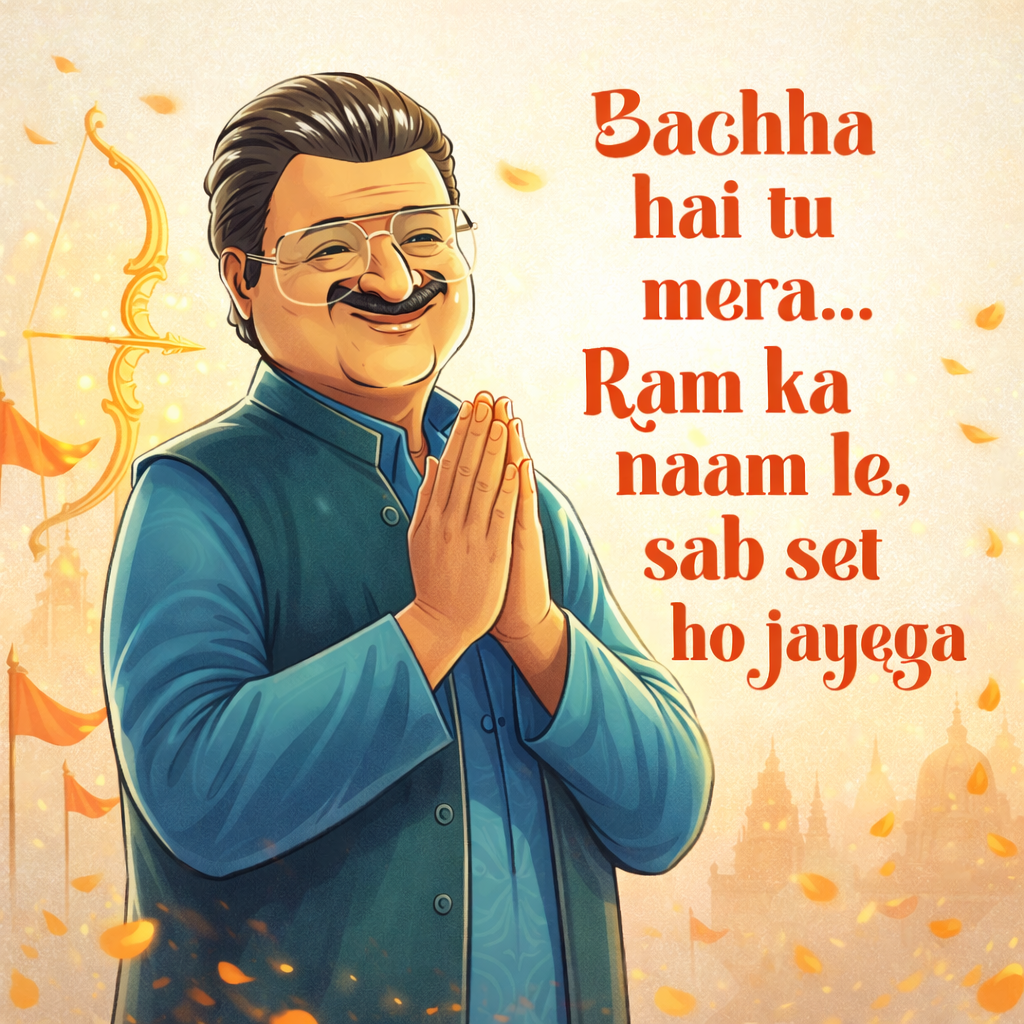
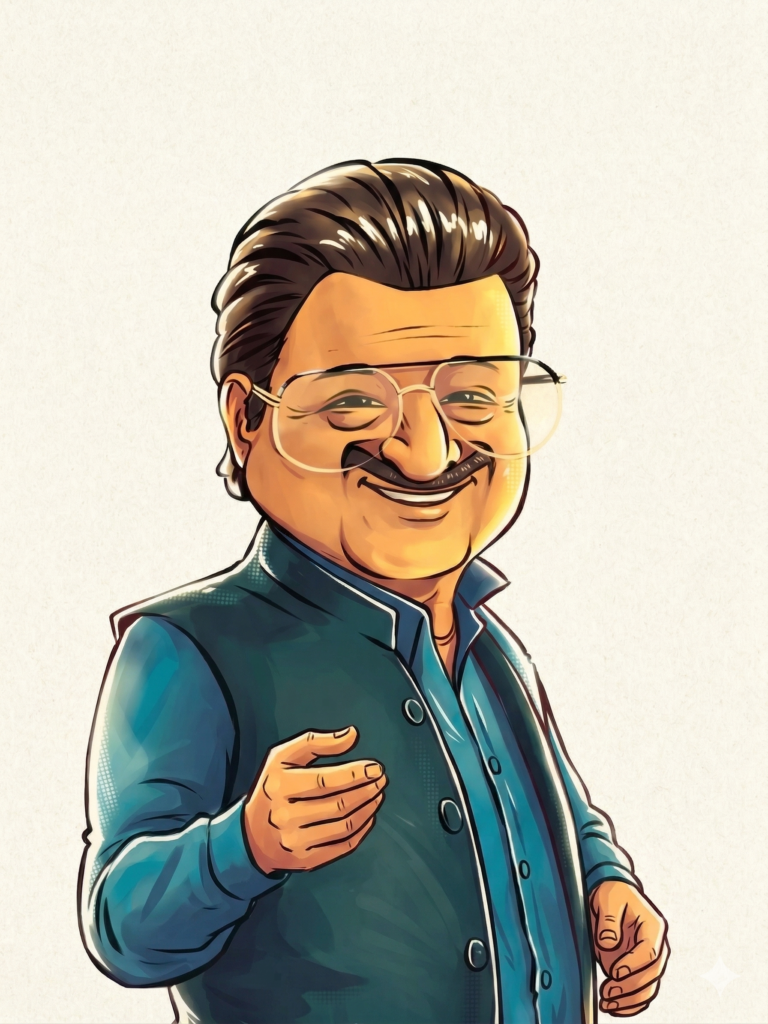
✍️ Step 3: ये Prompt Copy करो
नीचे दिया गया prompt direct copy करके ChatGPT में paste करना है 👇
A stylized 2D illustrated Indian middle-aged manRound face, warm friendly smile, expressive eyesThick well-groomed moustacheNeatly combed hair with slight volumeWearing a teal/blue Nehru jacket over a kurtaMentor-like, slightly playful expressionFestival scene: Ram NavamiThe man is folding hands in namaste, smiling peacefullyBackground includes soft temple silhouette, saffron flags, glowing bow (dhanush), and floating marigold petalsMinimal, light textured background with warm saffron gradientSoft lighting, clean shadows, premium ad lookCharacter on left, text on rightBold red brush-style text:“Bachha hai tu mera…
Happy Ram Navami 2026 tujhe”1792 × 2390, high detail, clean vector style
Happy Birthday ke liye
Prompt :- CHARACTER (DO NOT CHANGE) A stylized 2D illustrated Indian middle-aged man Round face, warm friendly smile, expressive eyes Thick well-groomed moustache Neatly combed hair with slight volume Wearing a teal/blue Nehru jacket over a kurta (fixed outfit) Mentor-like, slightly playful expression 🎯 CORE LOGIC (IMPORTANT) Based on the given niche, intelligently decide: If it is a digital product/service → show it on a laptop or screen If it is a physical product → the man should hold it naturally in his hand If it is a service/action-based niche → show him using or demonstrating it If it is a festival/wishes → Show him praying or dancing in a procession, and wishing The object/action must feel natural, clear, and visually understandable at first glance. 🧩 OBJECT / INTERACTION The character must either: Hold the product Use the product Or present it confidently The product or interface must be: Clearly visible Slightly highlighted or emphasized Relevant to the niche 🎨 STYLE (FIXED) Pure 2D digital illustration (NOT 3D) Clean vector + soft painted shading Smooth gradients, premium ad look Slight exaggeration for engaging visuals 🧱 COMPOSITION Character slightly left Product / object clearly visible Text on right side Balanced, scroll-stopping layout 🌄 BACKGROUND Minimal, light, slightly textured Premium clean look No logos, no branding 💡 LIGHTING Soft, even lighting Warm tone Clean shadows ✍️ TEXT (FIXED HOOK SYSTEM) Typography: bold red brush-style, right side Text must ALWAYS be: “Bachha hai tu mera…[SECOND LINE BASED ON NICHE]” First line fixed Second line should feel like advice / shortcut / solution 🎯 INPUT: Niche / Product / Service: [Ram Navami ] ⚡ OUTPUT RULES: Generate ONE ultra-detailed image prompt Keep character, outfit, and style EXACTLY SAME Intelligently decide what the character is holding or using Adapt second line based on niche No logos or brand names 1792 × 2390 format High detail, ad-quality⚡ Step 4: Image Generate कैसे करें?
अब सबसे important step 👇
- ChatGPT app खोलो
- ऊपर “Image” या “Create Image” option select करो
- ऊपर वाला prompt paste करो
- Send / Generate पर क्लिक करो
👉 कुछ सेकंड में आपकी image ready 🎉
🎯 Step 5: Image Download करो
- Image पर क्लिक करो
- Download या Save कर लो
- अब इसे आप:
- YouTube thumbnail
- WhatsApp status
कहीं भी use कर सकते हो 🚀